
Summary:
This guide provides easy-to-follow off stamp vape instructions for charging. We break down the unique two-part battery system, explain how to use the USB-C dock, and help you interpret the light indicators. You’ll learn how to charge off stamp vape correctly, safe alternatives if you don't have a wall plug, and why the modular design is changing the game.
Table of Contents
-
Understanding Off Stamp Vape Charging
-
How to Charge Off Stamp Vape (Step-by-Step)
-
How to Know When Off Stamp Vape Is Fully Charged
-
How to Charge Off Stamp Vape Without Charger
-
How to Charge Off Stamp Vape Without Battery
-
Conclusion
-
Key Takeaways
-
FAQs
If you are looking to buy vape online, Off Stamp vapes have likely caught your eye as they take the market by storm.
Why are they so popular?
They solved the biggest problem with the standard Disposable Vape: battery waste.
With their cool "Lego-style" magnetic design, you get a reusable battery dock and swappable pods.
But this unique design leads to a very common question: how does off stamp vape work when it comes to power?
How to charge off stamp vape correctly?
Since it comes in two pieces, new users often get confused.
Do I charge the pod? Do I charge the block? Do I charge them together?
If you are wondering off stamp vape how to charge safely, you are in the right place.
This article will break down the simple steps.
We will explain the light indicators and even cover what to do if you are missing a charger.
Ready to get powered up?
Understanding Off Stamp Vape Charging
Before we plug anything in, we need to understand the device.
What are we actually charging here?
Is Off Stamp vape rechargeable?
Yes, absolutely.
But here is the catch: The "Dock" is the charger.
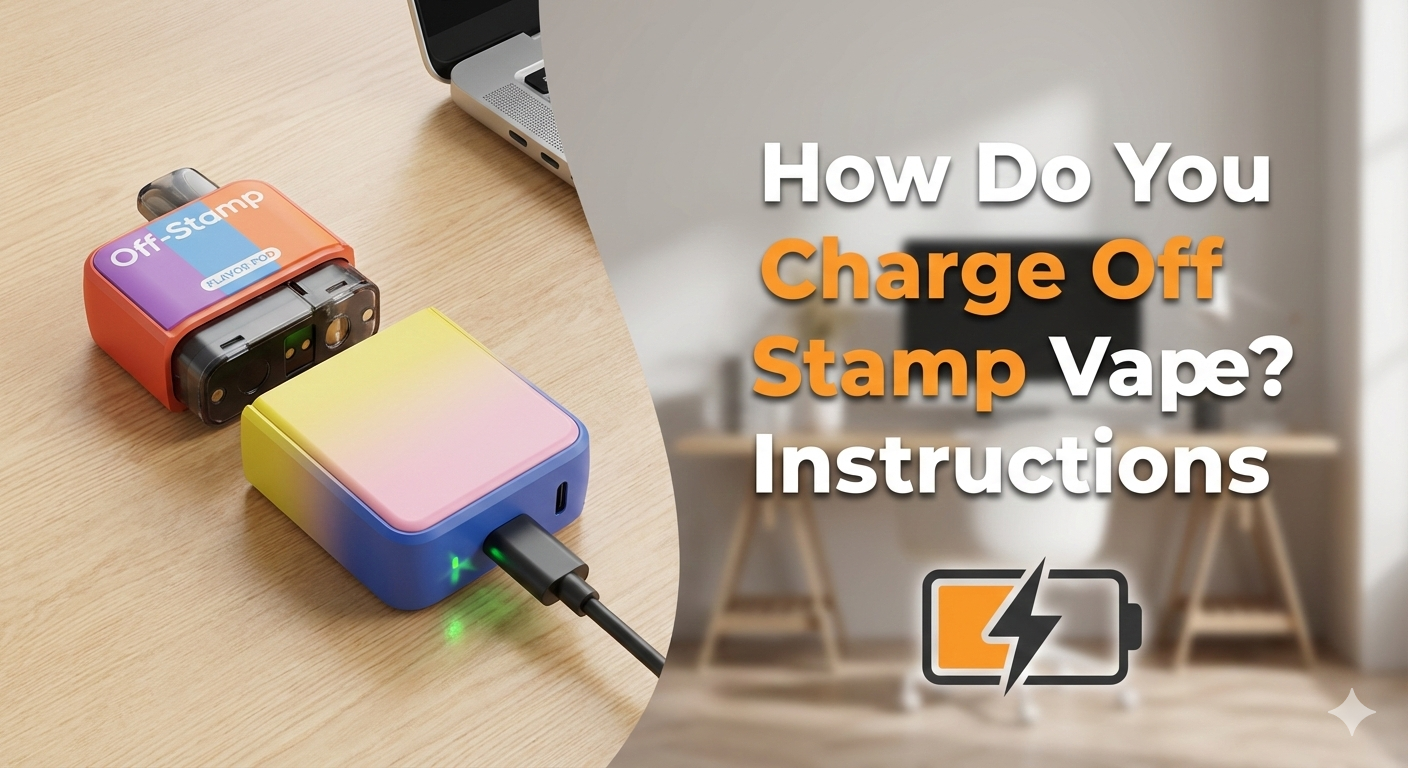
The Off Stamp system consists of two distinct parts:
-
The Flavor Pod: Has a tiny internal battery (200mAh) for portability and comes in various off stamp flavors.
-
The Charging Dock (Battery Station): Has a large rechargeable battery (800mAh-1000mAh).
While the Flavor Pod is technically rechargeable, it is designed to be charged by the Dock.
You plug the Dock into the wall.
Then, the Dock charges the Pod via magnetic pins.
Where is the charging port located?
You will find the charging port on the Battery Dock (the reusable part).
It is usually located on the side or bottom edge of the rectangular dock.
-
Port Type: It uses a standard USB-C port.
This is the same shape as most modern Android phones and newer electronics.
-
Note: The disposable Flavor Pods usually do NOT have their own USB port.
They must be snapped onto the Dock to charge.
What you need before charging
To get started, ensure you have the following:
-
USB Cable: A high-quality USB-C cable.
-
Power Source: A wall adapter, laptop USB port, or portable power bank.
-
Clean Port: Check that the charging port isn't clogged with pocket lint.
How to Charge Off Stamp Vape (Step-by-Step)
Ready to power up?
Here are the specific instructions.
Basic charging instructions
Follow these simple steps:
-
Locate the Port: Find the USB-C port on the Battery Dock.
-
Plug In: Insert the USB-C cable gently into the port.
-
Connect to Power: Plug the other end into your wall adapter or laptop.
-
Attach the Pod (Optional): You can charge the Dock by itself.
-
Snap It On: Or, you can snap the Flavor Pod onto the Dock while it charges.
-
Pro Tip: If you attach them, the wall power charges the Dock.
-
Simultaneously, the Dock passes power to the Pod.
-
-
Wait: Look for the indicator light to confirm it is receiving power.
How long does Off Stamp vape take to charge?
One of the most searched questions is how long to charge off stamp vape.
Here is the typical breakdown:
| Component | Charging Time |
| Battery Dock | 45 minutes – 1 hour |
| Flavor Pod | 20 – 30 minutes (via Dock) |
Factors that affect speed:
-
Using a high-speed wall adapter vs. a slow laptop port.
-
Vaping while charging (Pass-Through technology) will slow down the process.
How to Know When Off Stamp Vape Is Fully Charged
No one likes guessing.
Luckily, the device tells you exactly what is happening.
Common indicator light signs
Depending on your specific model (SW9000 or off-stamp-x-cube), the lights act differently.
-
For Standard LED Models:
-
Pulsing Light: The device is actively charging.
-
Red Light: Low Battery.
-
Blue Light: Medium Battery.
-
Green Light: High Battery.
-
Solid Light / Off: When the light stops pulsing and stays solid green (or turns off), it is done.
-
-
For X-Cube (Screen Models):
-
The screen will literally display "100%".
-
The battery icon animation will stop moving.
-
When to unplug the device
Once the light turns solid or the screen says 100%, unplug it.
-
Why?
Leaving lithium-ion batteries plugged in overnight can degrade battery health.
This is often called "overcharging."
To keep your reusable Dock working for months, unplug it once it's full.
How to Charge Off Stamp Vape Without Charger
We have all been there.
You have the vape, but you lost the wall block.
People often search how to charge off stamp vape without charger (meaning the wall adapter).
Using a compatible USB cable
You don't need the specific cable that came in the box.
Any USB-C cable will work.
Check your other devices:
-
Nintendo Switch
-
Newer iPads
-
Android phones
-
Wireless headphones
Charging with laptop or power bank
If you don't have a wall plug, you can use these safe alternatives:
-
Laptop/PC: Plug into a USB slot on your computer. It charges slower, but it works safely.
-
Power Bank: A portable battery pack is perfect for charging on the go.
-
Car Charger: Use your car's USB port.
-
Caution: Do not leave the vape in a hot car!
-
Safety warnings (Please Read!)
Some dangerous guides on the internet show how to charge off stamp vape without charger by cutting wires.
They suggest stripping USB cables and touching live wires to the battery.
DO NOT DO THIS.
-
Do not open the device.
-
Do not strip wires.
-
Do not use DIY methods.
Stripping wires creates a fire hazard.
It can cause the lithium battery to explode.
Always use a proper USB port.
How to Charge Off Stamp Vape Without Battery
This is a tricky question users ask: how to charge off stamp vape without battery?
Usually, this means: "I lost the reusable Charging Dock. Can I charge the pod?"
Why battery is required
The "Dock" is the main battery.
The disposable Flavor Pod has a tiny 200mAh battery inside.
However, it does not have a charging port.
It relies 100% on the magnetic pins of the Dock to recharge.
When replacement is necessary
The hard truth:
If you lose the Battery Dock, you cannot charge the Flavor Pod.
You essentially have a dead disposable.
If your Dock stops holding a charge or is lost, you need a replacement.
You must buy a new "Off Stamp Kit" (which includes a new Dock).
Do not try to pry open the pod to charge it manually.
This is dangerous and will likely ruin the coil.
Conclusion
Learning how to charge off stamp vape is actually simpler than it looks.
The modular design might seem confusing at first.
But remember the golden rule: Plug in the block, snap on the pod.
By following these simple steps, you ensure your device hits perfectly every time.
Your battery will last for the long haul.
Always check your connections and keep your ports clean.
Happy vaping!
Key Takeaways
-
The Dock is Key: Charge the reusable Dock via USB-C; it charges the pod.
-
Light Indicators: Pulsing means charging; solid green means full.
-
Safety First: Never use stripped wires; use laptops or power banks if a wall plug isn't available.
-
No Dock, No Charge: You cannot charge the flavor pod without the battery station.
FAQs
Can you recharge Off Stamp vape?
Yes. The battery dock is reusable and rechargeable via USB-C. The flavor pods are rechargeable only by connecting them to the dock.
How long does it take to charge Off Stamp vape?
The main battery dock takes about 45 minutes to 1 hour to fully charge. The pod recharges from the dock in about 20 minutes.
What charger does Off Stamp vape use?
It uses a standard USB-C cable. You can use any USB-C cable connected to a computer, wall adapter, or power bank.
Why is my Off Stamp vape not charging?
Common reasons include debris in the port or a bad cable. If you are asking why is my off stamp vape not working, check for the sticker on a new pod covering the pins. Remove it, or it won't charge!
Can I use a phone charger for Off Stamp vape?
Yes, as long as it is a USB-C charger. Standard phone chargers work perfectly fine.
Does Off Stamp vape have a charging light?
Yes. A blinking light means it is charging. A solid light means it is fully charged. If you see off stamp vape blinking while charging rapidly (red), check the connection.


