

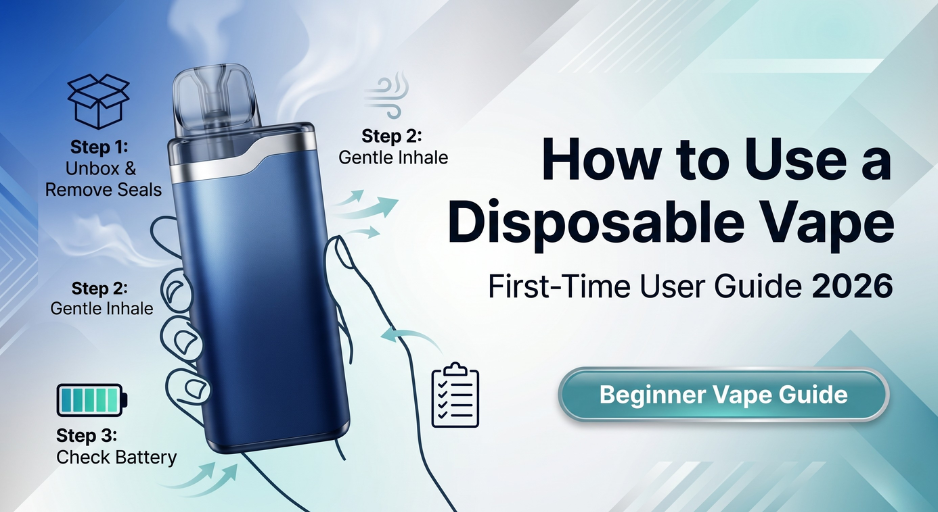
If you've just picked up a modern disposable vape — a Geek Bar Pulse X, Lost Mary MT35K, RAZ RX50K, iJoy XP50000, or any other 2026 smart-screen device — the tutorials online probably feel a generation out of date. Most how-to guides still describe draw-only pens from 2019: no screens, no power modes, no airflow slider, no USB-C. Those guides skip the buttons, controls, and readouts that now do most of the work. This guide is built around today's devices. In about five minutes, you'll know how to set up your first disposable, draw on it properly, read the smart screen, switch between power modes, adjust airflow, charge via USB-C, and spot when it's time to replace the device. Before first use, it's worth a quick read of our fake-vape checklist to verify authenticity — counterfeits behave very differently than genuine devices and this guide assumes you have an authentic one.
What's Different About 2026 Disposables
Early disposable vapes were effectively e-cigarette pens: one battery, one coil, one draw-activated sensor, nothing to configure. 2026 disposables are closer to a scaled-down pod mod. If you're coming from a cigalike or an older Puff Bar, the controls that now ship on flagship devices will be unfamiliar. The table below covers the five features that changed the user experience.
| Feature | Old-Style Pens (pre-2021) | Modern 2026 Disposables |
|---|---|---|
| Display | None | OLED/LED screen showing battery %, e-liquid %, puff count, mode |
| Power modes | Fixed output | Normal / Boost (or Eco / Turbo) switchable by button |
| Airflow | Fixed | Adjustable slider (tight MTL to wide DTL) |
| Battery | Single-use, no recharge | USB-C rechargeable, outlasts the e-liquid |
| Coil | Single mesh or wick | Dual mesh, often with anti-burn thermal protection |
The 5-Step Setup Walkthrough
Out of the box to first puff takes about five minutes. Most of that time is authenticity verification and inspection — the actual setup is fast.
Step 1 Verify authenticity
Every legitimate disposable ships with a verification code or QR sticker on the packaging. Scan the code or enter it on the manufacturer's verification page. If the device doesn't have a code, the code is invalid, or the code has already been used, stop here and contact the retailer — a counterfeit vape is the single biggest cause of first-use problems. Our 5 Signs Your Disposable Vape Is Fake guide covers the other visual checks.
Step 2 Remove all protective plugs and stickers
Open the box and inspect every surface. Look for a silicone plug inside the mouthpiece, stickers covering the airflow vent at the base, and a sticker over the USB-C port. All three need to come off before the device will work. The mouthpiece plug is the one most people miss.
Step 3 Unlock the power switch (if the device has one)
A growing number of 2026 devices — Geek Bar Pulse and Pulse X are the most common — ship with a physical power slider to prevent accidental firing. Look for a small slider on the side or base; move it to the unlocked or "on" position. If your device is fully draw-activated with no switch (Lost Mary, Off-Stamp, many others), skip this step.
Step 4 Take your first draw — slow and firm, 2–3 seconds
Put the mouthpiece to your lips and take a steady, controlled pull for two to three seconds. The draw sensor needs firm airflow to activate — too soft and the coil won't fire; too hard and you'll flood the sensor. After the first puff, pause for 5–10 seconds to let the wick re-saturate before your next draw. See the full drawing technique section below for more detail.
Step 5 Check the smart screen
After firing, the screen should light up and display battery percentage, e-liquid percentage, and puff count. A factory-fresh device will show close to 100% on both battery and juice. If the screen is dark or shows 0%, the device either needs charging (connect USB-C) or is defective (contact the retailer). See the smart screen section for what every icon means.
How to Draw on a Disposable Properly
This is the single most undertaught skill for new vape users, and it's the reason many first-time experiences go poorly. Draw-activated disposables use an airflow sensor that fires the coil when it detects a specific range of airflow pressure. Outside that range, you either get no vapor or inconsistent firing.
The correct technique
Think of the draw like sipping a thick milkshake through a narrow straw: steady suction, 2–3 seconds long, firm but not forced. You should feel vapor cooling in your mouth by the second second.
Mouth-to-Lung (MTL) vs Direct-to-Lung (DTL)
Mouth-to-Lung (MTL)
Draw vapor into your mouth first, hold briefly, then inhale to your lungs. The cigarette-style technique. Best for tighter airflow settings and nicotine-salt devices.
Direct-to-Lung (DTL)
Inhale vapor straight into your lungs in one motion. Produces bigger clouds. Best for wider airflow settings and Boost mode.
Reading Your Smart Screen
Every major 2026 disposable with a screen displays the same five data points, usually as icons or numbers on the front face of the device.
| Icon / Display | Typical Location | What It Shows |
|---|---|---|
| Battery % or battery icon | Top left or right | Charge remaining on the lithium-ion battery. Connect USB-C below 30%. |
| E-liquid % or droplet icon | Top or middle | E-liquid remaining in the tank. Unlike battery, this cannot be refilled. |
| Puff count | Center, usually largest number | Total puffs taken since first activation. |
| Mode indicator (Norm / Boost) | Side or bottom | Which power mode the device is currently operating in. |
| Charging animation | Replaces normal display when charging | Scrolling bars or pulsing icon means the device is accepting charge. |
Device-specific variations worth knowing:
- Geek Bar Pulse X 25K — 3D animated screen with large puff count readout and dedicated mode button.
- Lost Mary MT35K / MT15K Turbo — "Blend-In" hidden display that only lights up on draw; Turbo button on the base toggles the mode.
- RAZ RX50K — 1.65-inch LED with oversized battery and juice readouts; one of the easiest screens to read at a glance.
- iJoy XP50000 — smart LED with dedicated Regular and Boost mode buttons plus a charging animation.
- Foger Switch Pro 30K — transparent tank with visible e-liquid level in addition to the on-screen readout.
Power Modes & Airflow Adjustment
Power modes: Normal vs. Boost
Most 2026 flagship disposables offer two power modes switchable by a dedicated button. The trade-off is predictable: more flavor intensity means fewer total puffs.
Normal / Eco Mode
Lower wattage, standard vapor production, maximum total puff count. This is the advertised puff count on the box (e.g., 50,000 puffs). Best for all-day vaping and stretching device lifespan.
Boost / Turbo Mode
Higher wattage, more intense flavor and vapor, warmer draw. Reduces total puff count by roughly 40% (e.g., 30,000 puffs on a 50K device). Best for short satisfying sessions or flavor-forward profiles.
To switch modes, find the mode button (usually on the side or base) and press it once; the smart screen should update to show the new mode. Some devices require a double-click or a 2-second hold to prevent accidental switching.
Adjustable airflow
Devices with an airflow slider (Foger Switch Pro, Geek Bar Pulse X, Lost Mary Nera Fullview, and others) let you tune the draw tightness from a restrictive MTL pull to a wide-open DTL draw. The slider is almost always on the bottom of the device.
- Slider mostly closed — tight, restrictive, cigarette-like draw. Best for nicotine-salt MTL vaping.
- Slider in the middle — balanced draw, the default most people settle on.
- Slider wide open — loose, airy draw for bigger clouds. Pairs naturally with Boost mode.
Charging via USB-C
Every modern high-capacity disposable is USB-C rechargeable. The battery will drain faster than the e-liquid runs out, which is intentional: separating battery life from juice life lets you use every milliliter of vape juice rather than throwing away a device with juice left in the tank.
Charging do's and don'ts
- Use a low-amp USB-C cable — a standard phone charger or laptop USB port is ideal. Avoid fast chargers (18W+) — the high amperage can damage the small battery inside a disposable.
- Charge until the screen shows full — typically 20–45 minutes from empty to full.
- Don't vape while charging unless the device specifically supports pass-through use. Let the battery charge fully, then disconnect and vape.
- Don't leave charging unattended overnight — especially on any surface that could catch fire. Most disposables charge to full in under an hour.
- Plug in before the battery dies — connecting USB-C at 20–30% extends overall battery lifespan vs. repeatedly draining to 0%.
Care, Storage & When to Replace
Daily care
- Store upright at room temperature. Mouthpiece-down storage can flood the airflow sensor and cause leaks. Sideways is fine; upside down is not.
- Avoid heat. Don't leave the device in a hot car, in direct sunlight, or near a heater. Heat damages the lithium-ion battery permanently and degrades e-liquid quality.
- Avoid extreme cold. Below 50°F, the battery underperforms and may not fire reliably. Warm the device in an inside pocket before use.
- Wipe the mouthpiece occasionally. A clean tissue removes condensation and lint buildup.
- Keep away from loose metal. Keys, coins, and foil wrappers can short a battery terminal in your pocket or bag.
When to replace the device
Your device is done and needs to be replaced when any of these apply:
- Smart screen shows 0% e-liquid even after a full battery charge. The tank is empty; charging cannot refill it.
- Device blinks 3–10 times on every draw with no vapor output. The universal "device is done" signal across brands.
- Consistent burnt taste that doesn't resolve after 10 minutes of rest. The coil or wick has reached end of life.
- Cracked casing or visible leaking. Safety concern with lithium-ion batteries; replace immediately.
For a deeper dive into real-world puff counts versus the advertised numbers on the box, see How Long Does a Disposable Vape Actually Last.
Frequently Asked Questions
Do I need to charge my disposable before the first use?
Not usually, but it doesn't hurt. Most disposables ship with 50–80% battery. If the screen shows less than 30% out of the box, give it 15 minutes on USB-C before first use to prevent mid-session cutoff. Never try to charge a non-rechargeable disposable — it's a fire risk.
How long should each draw be?
2 to 3 seconds, with a slow and steady pull. Most devices have a 10-second auto-cutoff that stops firing if you pull for longer. Pause 5–10 seconds between draws to let the wick re-saturate — back-to-back puffs cause the dreaded burnt taste.
What's the difference between Normal and Boost mode?
Boost mode increases the wattage, which produces more intense flavor and warmer vapor, at the cost of roughly 40% fewer total puffs. Normal mode delivers the advertised puff count on the box. Switch between them using the dedicated mode button on your device.
How do I know when my disposable is empty?
Three signals: (1) the smart screen shows 0% e-liquid, (2) the flavor turns muted or burnt and a full battery charge doesn't fix it, or (3) the device blinks 3–10 times on every draw with no vapor. Any of these means the tank is empty and the device should be replaced.
Can I leave my disposable vape in my car?
Not in summer or direct sun. Texas interiors regularly hit 140°F+ on parked dashboards, which permanently damages lithium-ion batteries and degrades e-liquid. In winter, cold-soaked devices may not fire until warmed up. Keep vapes at room temperature whenever possible.
Why isn't my brand-new vape producing any vapor?
In order of likelihood: (1) the silicone plug is still in the mouthpiece, (2) the airflow vent has a sticker covering it, (3) the power switch is locked, or (4) you're drawing too softly to activate the sensor. Check all four before assuming the device is defective.
How long should one disposable last me?
Depends entirely on usage. For a moderate user taking ~200 puffs per day, a 15K device lasts ~2–3 weeks, a 25K lasts ~3–5 weeks, and a 50K lasts ~1–2 months. Advertised puff counts assume short, efficient draws; real-world numbers run lower. Boost mode shortens these timelines by roughly 40%.
Where to Buy
JellyPuffs carries every flagship 2026 smart-screen disposable covered in this guide — Geek Bar Pulse X, Lost Mary MT35K and Nera Fullview, RAZ RX50K, iJoy XP50000, Foger Switch Pro, Spaceman, Vozol, and others. Every device ships from our Houston, TX warehouse within 24 hours, sourced directly from verified US distributors. For Texas residents, our Texas-compliant collection lists every device that meets SB 2024 requirements.
Shop modern disposable vapes at JellyPuffs. Smart-screen devices with adjustable airflow, power modes, and USB-C charging. 100% authentic, same-day US shipping from Texas.
Sources
- Vaping360 — How to Use a Disposable Vape (technique reference)
- Innokin — Nicotine Content and Proper Draw Technique
- US FDA — Vaporizers, E-Cigarettes, and ENDS (regulatory overview)
- US EPA — Safe Disposal and Lithium Battery Handling
- JellyPuffs — 5 Signs Your Disposable Vape Is Fake
- JellyPuffs — How Long Does a Disposable Vape Last? Real Puff-Count Math
- JellyPuffs — Foger Vape Guide (device-specific controls)


