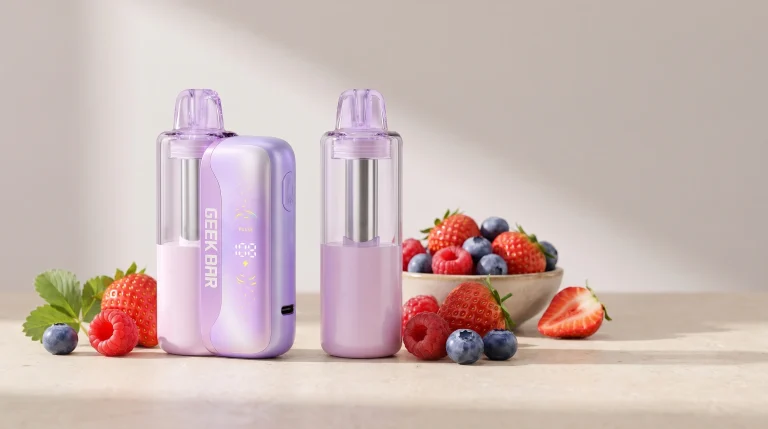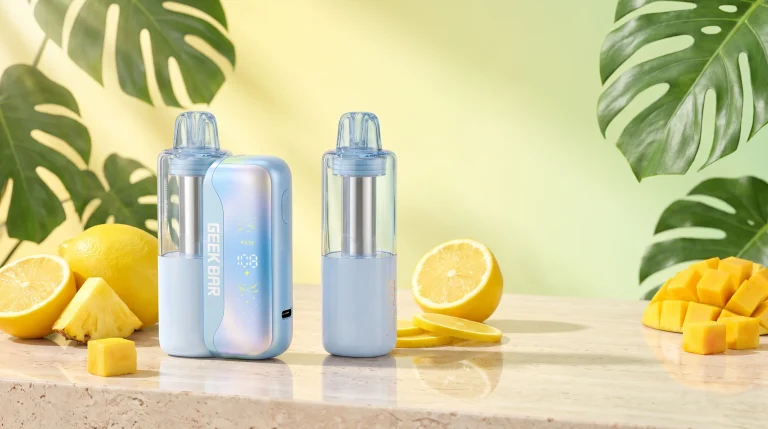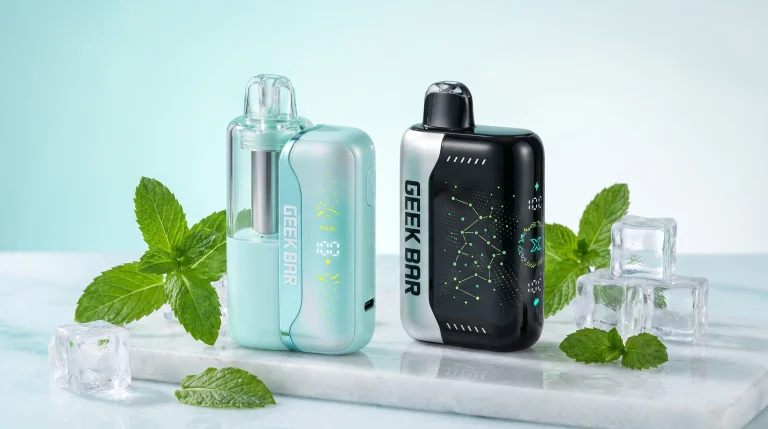
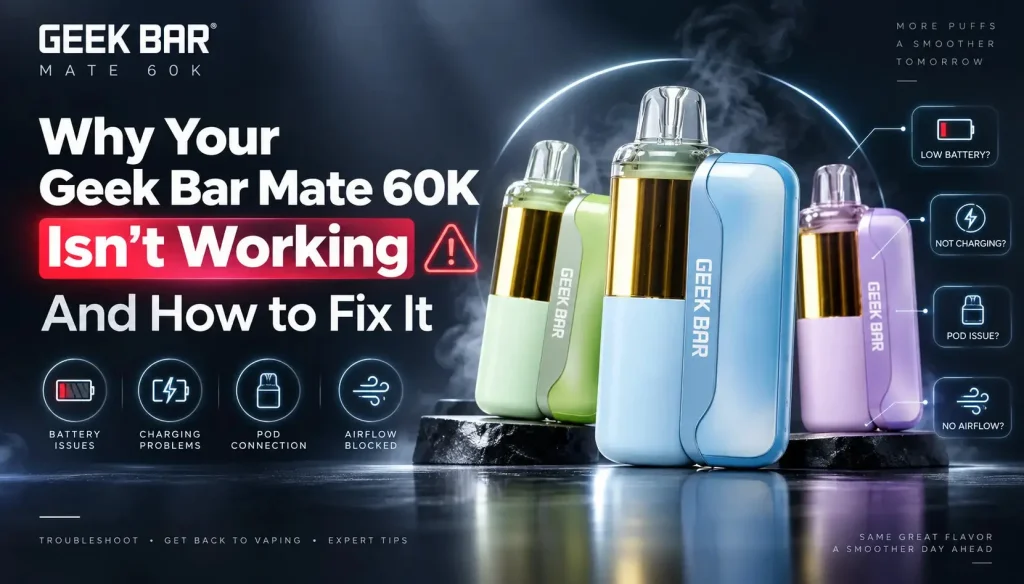
The Geek Bar Mate 60K is Geek Bar’s first modular pod-swap device, and the two-piece design changes what goes wrong with it. Almost every complaint that reaches our support inbox traces back to one of five things: the magnetic pod connection, a pod at the end of its life, the USB-C charging port, the Dynamic Galaxy UI display, or a production run that predates the manufacturer’s mid-cycle hardware revisions. This guide covers each one, in the order they actually occur. Browse the full Geek Bar Mate 60K collection at JellyPuffs for current kits and replacement pods.
21+ only. This product contains nicotine. Nicotine is an addictive chemical.
Quick Fix Table
Start here. Most Mate 60K issues resolve in under two minutes without tools.
| Symptom | First thing to try |
|---|---|
| Weak vapor or no vapor | Pull the pod, wipe both magnetic contact points with a dry cotton swab, reseat until it clicks |
| Device not firing at all | Reseat the pod; confirm the base has charge on the Galaxy UI screen; try a second pod |
| Burnt or muted taste | Check remaining e-liquid through the transparent 15 mL pod — a dry pod is a replace, not a repair |
| Won’t charge | Clear the USB-C port of lint with a toothpick; use a 5V standard-output charger, not a laptop fast brick |
| Leaking or spitback | Store upright, clear condensation from the pod base, close the airflow ring partway |
| Frozen or blank display | Remove the pod for 30 seconds, reseat, then charge from empty for one full cycle |
Weak Vapor or Not Firing
This is the single most reported Mate 60K issue, and on a modular device it is usually a connection problem rather than a failed coil. The pod carries its own 200 mAh battery and snaps magnetically onto the 900 mAh reusable base. Pocket lint, sugar residue from a spilled drink, or a film of condensed e-liquid on the contact ring is enough to interrupt the circuit — the device reads as dead or fires weakly even though the pod is full.
Fix, in order
- Pull the pod straight off the base. Do not twist it.
- Wipe the metal contacts on both the pod underside and the base with a dry cotton swab. No alcohol, no water.
- Reseat until the magnets click fully home. A partial seat produces exactly this symptom.
- Open the adjustable airflow ring at the base — a fully closed ring reads as weak vapor.
- Switch from Regular Mode to Pulse Mode. If output jumps, the hardware is fine and the pod was simply running at the lower-power setting.
- If you have a second pod, mount it. Vapor returns with pod B, the problem is pod A. Vapor stays weak with both, the base is the fault.
That last step is the advantage of a swappable system: you can isolate the failure to a $13.99 pod or a battery base in about ten seconds, which is not possible on a sealed disposable.
Burnt Taste or Fading Flavor
On the Mate 60K, a burnt or thin taste is almost always an end-of-life signal, not a defect. The 1.1Ω dual mesh coil is sealed inside the pod, so once wicking outpaces the remaining e-liquid, no cleaning or resting brings the flavor back.
Check the pod first — it is transparent for this reason. If the liquid level is at or near the bottom, the pod is finished. Replace the pod, keep the base. That is the whole point of the design, and it is the difference between a $13.99 pod swap and a $18.99 full kit.
If flavor fades well before the pod is empty, three things extend it:
- Run Regular Mode instead of Pulse. Pulse pushes coil output for denser vapor at roughly 30,000 puffs per pod; Regular stretches the same pod toward 60,000 puffs with less thermal stress.
- Space out chain hits. Back-to-back draws outrun the wick on any mesh coil.
- Avoid heat. A pod left in a car in a Texas summer degrades noticeably.
Menthol and ice profiles mask early flavor fade better than dessert and candy profiles, so a Cool Mint pod will often “taste fine” further into its life than a White Gummy pod at the same liquid level.
Won’t Power On or Won’t Charge
The Mate 60K charges over USB Type-C and reaches roughly 80% in about 20 minutes. When it stops charging, the cause is usually mechanical or the charger, in that order.
Check the port
USB-C ports on pocket devices collect lint, and compressed debris at the back of the port stops the cable from seating to full depth. Power the device down, look into the port under a light, and lift debris out with a wooden toothpick. Never use metal, and never blow compressed air into an open port.
Check the charger
Use a standard 5V USB-C output — a phone brick, a laptop USB port, or a car adapter. High-wattage laptop and fast-charge bricks negotiate voltages the device is not built to accept, and the protection circuit will refuse the charge rather than take it. If the Galaxy UI shows a charging icon but the percentage does not climb, swap the brick before you assume the battery is dead.
Check which half is dead
The Mate 60K runs a dual-battery system: 900 mAh in the base plus 200 mAh in the pod, for 1100 mAh total. If the base charges and the device still won’t fire, the pod cell is the likely culprit — mount a different pod to confirm. A base that won’t take a charge at all with a known-good cable, known-good brick and clean port is a hardware failure; that is a retailer or warranty conversation, not a home repair.
Pod Leaking or Spitback
Leaking was the defining complaint of the earliest Mate 60K production runs and is far less common now. When it does show up, it is generally condensation rather than a seal failure.
- Store the device upright, pod up. Lying flat lets e-liquid pool against the airflow path.
- Wipe the pod base and the battery contact well with a dry paper towel when you see beading.
- Close the airflow ring partway. A wide-open DTL setting increases spitback on a mesh coil.
- Take steady, moderate draws. Hard, short pulls draw liquid past the wick faster than the coil can vaporize it.
- Let a cold pod warm up before use. Moving from cold to warm air pulls condensation into the chamber.
A pod that leaks freely out of a sealed package — liquid visibly in the tray, not beading — is a defective unit. Take that to the retailer you bought it from rather than trying to reseat it.
Galaxy UI Display Problems
The Dynamic Galaxy UI screen reports battery level, puff count and the active mode. Two failure patterns show up.
Screen frozen or stuck
- Remove the pod for 30 seconds and reseat it — this power-cycles the pod cell
- Drain the base fully, then run one complete charge cycle to resynchronize the meter
- Confirm the pod is fully clicked in; a partial seat leaves stale data on screen
Readings look wrong
- Puff count resets with each new pod — that is expected, not a fault
- Battery percentage reads the base, not the pod cell
- Percentage drift usually corrects itself after one full charge cycle
A display that stays blank across two different pods and a completed charge cycle is a base-level fault, and no reset sequence fixes it.
Insider Note: Not Every Mate 60K Is the Same Build
Here is the part that most troubleshooting guides miss, and the reason two people can describe the same device in completely different terms.
The Mate 60K has been revised more than once since launch. Geek Bar does not publish revision numbers and the retail packaging carries no version marking, so the labels below — 1.0, 1.5 and 2.0 — are the informal shorthand used on the distribution side, not official manufacturer designations. What follows is field observation from handling this device across production runs since release, not a statement from Geek Bar.
| Production run | What field reports show |
|---|---|
| 1.0 — initial launch | The run behind most of the negative reviews still circulating online: pod leaking, units that would not fire out of the box, early burnt taste, and display faults. Largely superseded. |
| 1.5 — first revision | Resolved the bulk of the leaking and no-fire complaints. Two issues persisted: weak-to-no vapor on some units, and accelerated battery drain — reports of roughly 1% of base charge per puff, which empties a 900 mAh base far faster than the design intends. |
| 2.0 — current run | The drain and vapor-output complaints drop off sharply, and flavor consistency across the pod’s life is noticeably better. This is the build that made the Mate 60K competitive as a detachable-pod device. |
The practical consequence: if your Mate 60K drains a full base in a day, or produces almost no vapor with clean contacts and a full pod, you are most likely holding older stock rather than a unit you can fix. No cleaning routine converts an earlier build into a current one.
How to Get a Current-Production Unit
There is no version number on the box, no batch code a customer can decode, and no way to tell from a product photo. The only reliable proxy is how fast the seller turns inventory.
- Buy from a retailer with real turnover. A shop moving Mate 60K stock weekly is selling what the distributor shipped this month. A shop that ordered once at launch is still selling launch stock.
- Buy from a seller who publishes live inventory. Visible in-stock and sold-out status means the catalog is connected to actual warehouse counts, not a static page.
- Buy where support answers. A defective unit is only a real problem if nobody replaces it. Check the return policy before the order, not after.
- Avoid deep-discount marketplace listings. Aged and dead stock is exactly what gets liquidated at a steep markdown.
JellyPuffs restocks the Mate 60K line on an ongoing basis and ships from Texas, and our sister store Onlivape stocks the same current-run kits and pods. Both carry authentic Geek Bar product and handle device issues directly rather than routing customers back to the manufacturer.
Full Device Specs
| Puff Count | Up to 60,000 puffs (Regular Mode) / approx. 30,000 puffs (Pulse Mode) |
|---|---|
| E-Liquid | 15 mL pre-filled transparent pod |
| Nicotine | 50 mg/mL (5%) salt nicotine — Texas compliant |
| Battery | 1100 mAh total — 900 mAh reusable base + 200 mAh integrated pod cell |
| Charging | USB Type-C, approx. 80% in 20 minutes |
| Coil | 1.1Ω dual mesh with VPU (Vapor Processing Unit) chip, up to 23.7% more vapor |
| Display | Dynamic Galaxy UI — battery level, puff count, active mode |
| Airflow | Adjustable ring, MTL to DTL |
| Activation | Draw-activated, no button |
| Pod Design | Magnetic snap-in, replaceable — cross-compatible with Foger Switch Pro hardware |
In-Stock Kit Flavors
Live inventory on the Geek Bar Mate 60K Kit collection as of publication. Ice status is listed for every flavor. Replacement pods for each are stocked separately in the Mate 60K Pod collection.
Amazon Lemonade
Bright citrus over tropical undertones. No ice.
Sky Blue Ice
Light mixed berry, medium menthol. Iced.
Strawberry Kiwi
Sweet strawberry cut with tart kiwi. No ice.
Frequently Asked Questions
Why is my Geek Bar Mate 60K not firing?
On a modular device the usual cause is the magnetic pod connection, not the coil. Remove the pod, wipe both sets of contacts with a dry cotton swab, and reseat until it clicks. If a second pod fires normally on the same base, the first pod is the fault.
Why does my Mate 60K produce little or no vapor?
Check three things in order: the airflow ring is not fully closed, the contacts are clean, and the device is in Pulse Mode rather than Regular. If output stays weak across two pods with clean contacts, the unit is likely from an earlier production run rather than repairable.
Do I replace the whole device when the flavor goes burnt?
No. The 1.1Ω dual mesh coil lives in the pod, so a burnt taste means the pod is spent. Replace the 15 mL pod and keep the 900 mAh base.
How many puffs does the Mate 60K actually deliver?
Up to 60,000 puffs per pod in Regular Mode and approximately 30,000 puffs in Pulse Mode. Pulse runs the coil harder for denser vapor, which shortens pod life.
Is the Mate 60K rechargeable, and what charger should I use?
Yes — USB Type-C, roughly 80% in 20 minutes. Use a standard 5V output. High-wattage laptop and fast-charge bricks can cause the protection circuit to refuse the charge entirely.
Which Mate 60K flavors are iced?
Iced: Blue Razz Ice, Watermelon Ice, Sour Apple Ice, Sky Blue Ice, Cool Mint, Miami Mint, Strawberry Mint Candy. No ice: Strawberry Banana, Blue Straws, Triple Berry, Juicy Peach, Peach Mango Watermelon, Blueberry Yummy, White Peach Raspberry, White Gummy, Amazon Lemonade, Strawberry Kiwi.
Are Mate 60K pods compatible with other devices?
Yes. The Mate 60K pod is cross-compatible with Foger Switch Pro battery hardware, so a spare base from either ecosystem works as a backup.
Can I tell which production run my device is from?
Not from the packaging — Geek Bar does not print a revision marking. The practical workaround is to buy from a retailer with fast inventory turnover and live stock counts, which makes recent-batch stock far more likely.
Is the Mate 60K Texas compliant?
Yes. Every Mate 60K kit and pod stocked at JellyPuffs is 50 mg/mL (5%) salt nicotine and tagged Texas Compliant. Sales are restricted to adults 21 and over.
Where to Buy
Kits run $18.99 and replacement pods $13.99, so the running cost after the first purchase is the pod alone. If you rotate flavors, keeping one base and several pods is the cheaper path.
Shop the Geek Bar Mate 60K at JellyPuffs — 14 kit flavors in stock, matching replacement pods, and Texas-compliant 5% nicotine across the line. Ships from Texas.
Also available at our sister store Onlivape, which stocks the same Mate 60K kits and pods.
Warning: This product contains nicotine. Nicotine is an addictive chemical. For adults 21+ only.
More Geek Bar Mate 60K guides
- Geek Bar Mate 60K battery guide: draining fast, battery life and charging
- Geek Bar Mate 60K flavors: all 17 ranked, iced vs no ice
- How to use the Geek Bar Mate 60K: Pulse Mode, Super Pulse and power off
- Geek Bar Mate 60K kit vs pod: which to buy and cost per puff
- Geek Bar Mate 60K vs Foger Switch Pro: specs and pod compatibility
- Geek Bar magnetic vape explained: the Mate 60K kit and pod system
- Sky Blue Ice Geek Bar flavor review: taste, ice level and kit vs pod
- White Gummy Ice Geek Bar review: taste, ice level and the no-ice Mate 60K version
- Sour Apple Ice Geek Bar review: taste, ice level and every device that has it
- White Peach Raspberry Geek Bar review: taste, no-ice profile and every device that has it
- Juicy Peach Ice Geek Bar review: taste, ice level and the no-ice Mate 60K Juicy Peach
- Cool Mint Geek Bar review: taste, ice level and how it compares with Miami Mint
- Amazon Lemonade Geek Bar review: taste, ice level and the Mate 60K vs CLR 50K versions
- Triple Berry Geek Bar review: taste, ice level and how it differs from Triple Berry Ice
- Shop the Geek Bar Mate 60K kits and pods
Sources
- JellyPuffs — Geek Bar Mate 60K collection (device specs and live inventory, September 2026)
- JellyPuffs — Geek Bar Mate 60K Kit collection (flavor lineup and stock status)
- JellyPuffs — Geek Bar Mate 60K Pod collection (replacement pod pricing)
- JellyPuffs and Onlivape retail support records and distributor field observation across Mate 60K production runs, 2026.