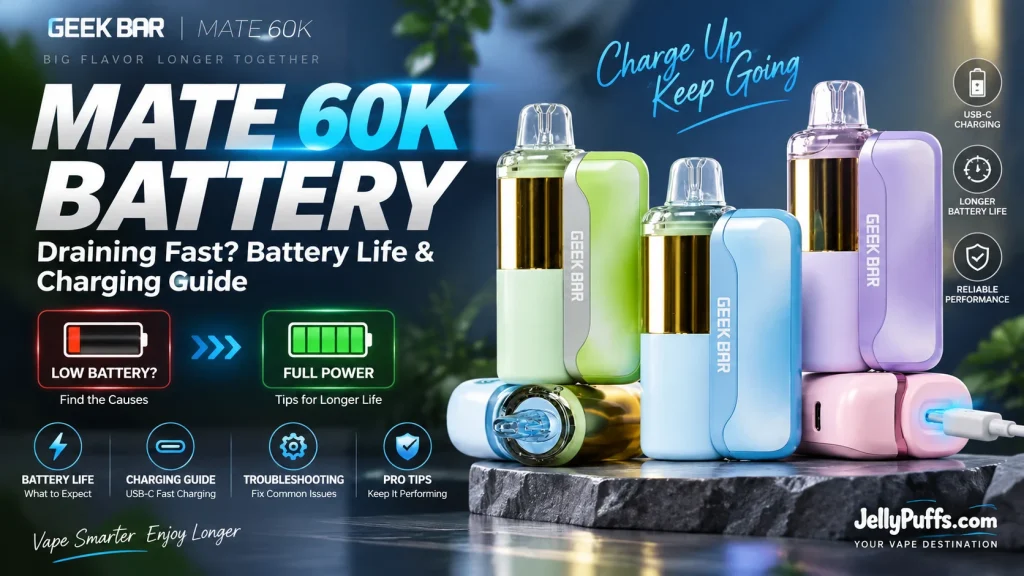
Short answer: A Geek Bar Mate 60K battery draining fast usually comes down to one of four things: running Pulse Mode all day, an older production unit, a pod that is not seated cleanly on the magnetic contacts, or heat. A 900mAh Mate 60K battery base in good condition lasts roughly 1 to 1.5 days of moderate use in Regular Mode and recharges to about 80% in 20 minutes over USB Type-C.
The Geek Bar Mate 60K runs on two batteries instead of one: a reusable 900mAh battery base and a 200mAh cell built into every pod. That split design is why the Geek Bar Mate battery behaves differently from a standard disposable, and why “my Mate is dying so fast” has more than one possible cause. This guide covers Geek Bar Mate 60K battery life, the seven most common reasons for a Geek Bar Mate battery draining fast, how to charge the base and the pod, and when a replacement battery makes sense.
How the Geek Bar Mate 60K Battery Works
The Geek Bar Mate 60K is a modular kit-and-pod system. The battery base is the reusable half: it holds the main 900mAh rechargeable cell, the USB Type-C charging port, the mode button and the Dynamic Galaxy UI screen. Each pre-filled pod carries 15mL of e-liquid, a 1.1Ω dual mesh coil and its own 200mAh cell, for 1,100mAh of combined capacity when the pod is docked.
Geek Bar describes the pod as working “solo”, meaning a Mate 60K pod can fire for a short session without the base. The pod has no charging port of its own, so the base is the only part you plug in. In practice, the base does almost all of the work, and its 900mAh cell is the number to watch when you track Geek Bar Mate 60K battery life.
| Battery base | 900mAh rechargeable, reusable |
|---|---|
| Pod battery | 200mAh built into each pod, no charging port |
| Combined capacity | 1,100mAh with the pod docked |
| Charging | USB Type-C on the base, about 80% in 20 minutes |
| Display | Dynamic Galaxy UI: battery level, puff count and active mode |
| Modes | Regular (up to 60,000 puffs) and Pulse (up to 30,000 puffs) per pod |
| Coil | 1.1Ω dual mesh, managed by Geek Bar’s VPU chip |
| Cable | USB-C cable not included with the kit |
How Long Does the Geek Bar Mate 60K Battery Last?
There are two answers, because the base and the pod wear down on different timelines. The battery base needs a recharge every one to three days depending on how much you vape. The pod lasts until its 15mL of e-liquid runs out, which takes weeks rather than days in Regular Mode.
Retailer testing published since the Mate 60K launched in early 2026 lines up closely. One 30-day test logged a charge every 18 to 24 hours at heavy use and every 2 to 3 days at light use. Another review put the 900mAh base at 1 to 1.5 days per charge for a moderate vaper. Use the table below as a baseline for a current-production unit in good condition in Regular Mode.
| Usage level | Base battery per charge | In Pulse Mode |
|---|---|---|
| Light (20–30 draws a day) | About 2–3 days | Roughly half |
| Moderate | About 1–1.5 days | Roughly half |
| Heavy (60–80+ draws a day) | About 18–24 hours | Plan on a midday top-up |
For the pod, a moderate vaper gets roughly three to four weeks per Mate 60K pod in Regular Mode, and about half that in Pulse Mode. The 60,000-puff rating is a lab figure based on short, consistent draws; long draws use more e-liquid per puff and lower the real count. For a broader look at how rated puffs translate into days of use, see how long a disposable vape lasts.
One more data point matters for “it died overnight” complaints: an idle Mate base still loses some charge. The same 30-day test recorded a drop from 100% to about 85% after 48 hours unused. A base that loses half its charge overnight while sitting on a nightstand is not normal, and the causes below explain why.
Why Is My Geek Bar Mate Battery Draining Fast? 7 Causes
Work through these in order. Most Geek Bar Mate battery draining fast reports trace back to the first three.
1. You are vaping in Pulse Mode
Pulse Mode drives the dual mesh coil harder for denser vapor and stronger flavor. That extra output is why Geek Bar rates a pod at 30,000 puffs in Pulse versus 60,000 in Regular, and it pulls more charge from the base on every draw. If the screen shows P, expect roughly half the time between charges. Switch back to R for all-day carry; our Geek Bar Mate 60K how-to guide covers the button steps.
2. You have an older production unit
The Mate 60K has gone through several production runs since launch. Field reports on early runs describe accelerated battery drain of roughly 1% of base charge per puff, which empties a 900mAh base far faster than the design intends. If your Geek Bar Mate kit battery is draining fast from a full charge within a few hours of normal use, you are most likely holding older stock. Our Geek Bar Mate 60K not working guide explains how the production runs differ.
3. The pod is not seated cleanly
The pod connects through magnetic contacts. Lint, e-liquid residue or a pod that sits slightly crooked gives a poor connection, so the base works harder and the screen may wake repeatedly. Pull the pod straight off, wipe both contact faces with a dry cotton swab, and snap it back until you feel it pull into place.
4. Heat or cold exposure
Lithium cells lose charge faster when hot and deliver less capacity when cold. A Mate left in a parked car, a sunny cup holder or a back pocket during a Texas afternoon will drain quicker and age faster. Keep it out of direct sun and store it at room temperature; our guide to storing disposable vapes in hot weather has the details.
5. You are mixing pods from another brand
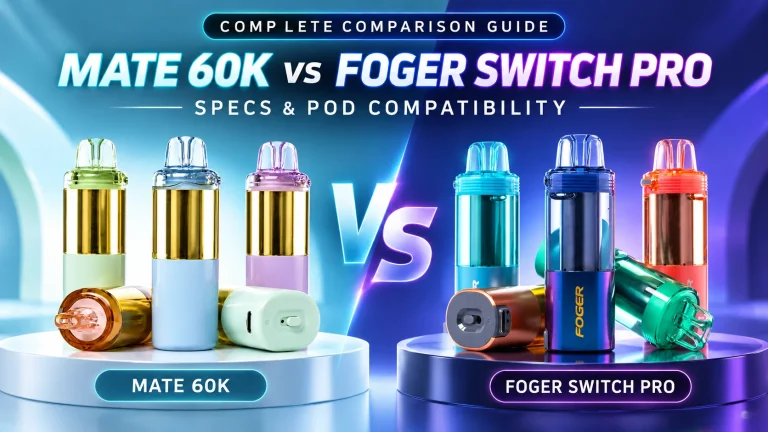
Owners report that Mate 60K pods and Foger Switch Pro pods fit each other’s bases, but they also report faster drain when the pairing is mixed, particularly a Mate pod on the smaller 850mAh Foger dock. Neither brand rates its puff counts or battery life for cross-brand use. See our Geek Bar Mate 60K vs Foger Switch Pro comparison for what is and is not supported.
6. Charging habits
Running the base to 0% every day, leaving it on the charger for hours after it is full, or using a high-wattage fast charger all add wear over time. Use a standard 5V USB-C source, unplug once the indicator settles, and top up at 20–30% rather than waiting for a dead screen.
7. The base is worn out
A base that has been charged daily for months holds less charge than it did new. If a current-production base with clean contacts, Regular Mode and a known-good charger still lasts only a few hours, the cell has reached the end of its useful life. The fix is a new base, which in practice means a new kit (see battery replacement below).
Why Is My Geek Bar Mate Staying On and Dying So Quick?
The Mate 60K is draw-activated: the screen wakes when you inhale or press the button, then dims. If the screen stays lit with no draw, the battery reading falls while the device sits untouched, or the base or pod feels warm in your pocket, treat it as a fault rather than normal drain.
- Remove the pod from the base right away. With the pod detached, the base cannot fire.
- Let both parts cool to room temperature. Do not charge a warm base.
- Inspect the magnetic contacts and the mouthpiece area for e-liquid. Moisture on the contacts or in the airflow path can confuse the draw sensor.
- Reattach the pod. If the screen still stays on or the device warms up without a draw, stop using it and contact the retailer you bought it from.
A Geek Bar Mate staying on and draining by itself is a hardware fault. Do not keep using a base or pod that heats up without a draw.
How to Charge the Geek Bar Mate 60K
- Get a USB-C cable. The Mate 60K kit does not include one. Any standard USB Type-C cable works.
- Plug into the base, not the pod. The USB-C port is on the battery base. You can leave the pod docked.
- Use a 5V source: a standard wall adapter, a laptop USB port or a car adapter.
- Watch the screen. The battery indicator animates while charging and settles when full.
- Unplug when full. Expect about 80% in 20 minutes and a full charge in roughly 35–45 minutes from low.
If you only have a few minutes, a 10-minute top-up covers several hours of moderate use. That fast-charge window is one of the practical advantages of the Geek Bar Mate 60K battery over single-piece disposables, which take longer to charge and are thrown away when the e-liquid is gone.
Geek Bar Mate Pod Battery and Pod Charger
Can you charge the Geek Bar Mate pod by itself?
No. The Geek Bar Mate pod battery is a sealed 200mAh cell with no USB port, so there is no separate Geek Bar Mate pod charger. The pod runs off the base whenever it is docked. When you see listings for a “Mate pod charger”, they mean the battery base or a USB-C cable for it.
How long does the pod work without the base?
Geek Bar designed the pod to work “with or without the device”, but 200mAh is a small reserve intended for short sessions, such as when the base is charging. Dock the pod again once vapor production drops. A Mate Plus 60K with a larger pod battery for longer standalone use is on the way; our Mate Plus 60K article covers what we know so far.
Geek Bar Mate Not Charging: Quick Checks
- Port: look into the USB-C port under a light and lift out lint with a wooden toothpick. Never use metal.
- Cable and adapter: try a second cable and a standard 5V adapter before you assume the base is dead.
- Screen: if the charging icon shows but the percentage never climbs, the cable or adapter is the usual cause.
If the base still will not take a charge with a known-good cable, adapter and clean port, the base has failed. The full step-by-step fix list, including what to do when the device will not fire, is in our Geek Bar Mate 60K troubleshooting guide.
How to Make the Mate 60K Battery Last Longer
- Stay in Regular Mode for everyday use and save Pulse for occasional sessions.
- Take steady 2–3 second draws. Long, back-to-back draws heat the coil and use more charge per puff.
- Top up at 20–30% instead of running the base to empty.
- Unplug once full and avoid high-wattage fast chargers.
- Keep the contacts clean and make sure the pod clicks fully into place.
- Store it at room temperature, away from car dashboards and direct sun.
- Match pods to the base. Use Geek Bar Mate 60K pods on the Mate base for the rated battery life.
Geek Bar Mate Battery Replacement: Kit or Pod?
JellyPuffs does not sell the Mate battery base on its own, and Geek Bar packages the base inside the kit. A Geek Bar Mate 60K battery replacement therefore means buying a Mate 60K kit, which includes a new 900mAh base and one full pod. At $18.99 for the kit versus $12.99 for a pod, the new base costs about $6 more than a pod alone.
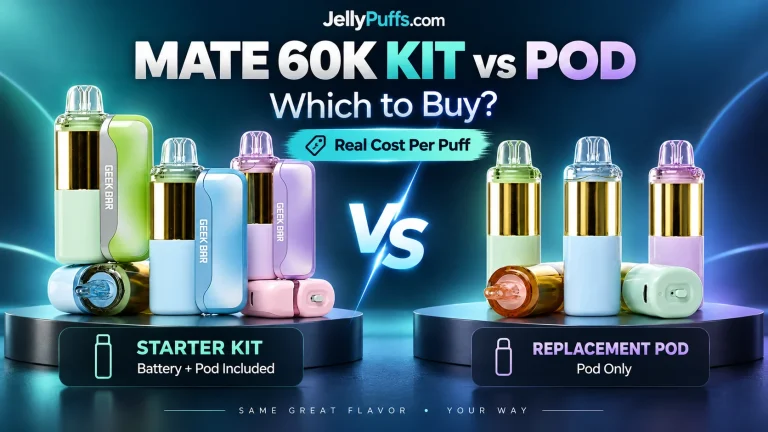
If your base still holds a charge, keep it and buy Mate 60K pods instead. Our Mate 60K kit vs pod guide breaks down the cost per puff for both options, including the current Buy 10 Pods, Get a Kit Free offer.
Frequently Asked Questions
Why is my Geek Bar Mate battery draining so fast?
The most common causes are Pulse Mode (which draws more power on every puff), an older production unit with known drain issues, a pod that is not seated cleanly on the magnetic contacts, and heat exposure. Switch to Regular Mode, clean the contacts and keep the device out of hot cars first.
How long does the Geek Bar Mate 60K battery last on one charge?
A 900mAh base in good condition lasts about 1–1.5 days of moderate use in Regular Mode, 2–3 days of light use and 18–24 hours of heavy use. Pulse Mode cuts those times roughly in half.
How long does it take to charge a Geek Bar Mate 60K?
About 20 minutes to reach 80% over USB Type-C, and roughly 35–45 minutes for a full charge from low. A USB-C cable is not included with the kit.
Can you charge a Geek Bar Mate pod without the battery?
No. The pod’s 200mAh cell has no charging port. Charge the base, and the pod runs off the base whenever it is docked.
Does the Geek Bar Mate pod work without the battery base?
Yes, for short sessions. Geek Bar designed the pod to work with or without the device, using its built-in 200mAh cell. For full puff counts and both modes, keep the pod docked on the 900mAh base.
Why does my Geek Bar Mate stay on and die so quick?
A screen that stays lit without a draw, or a device that warms up in your pocket, points to a fault such as moisture on the contacts or a stuck draw sensor. Remove the pod, let it cool, clean the contacts and reattach. If it continues, stop using it and contact your retailer.
What charger does the Geek Bar Mate 60K use?
Any standard USB Type-C cable connected to a 5V wall adapter, laptop port or car adapter. Avoid high-wattage fast chargers for routine charging.
Can I buy a replacement Geek Bar Mate battery by itself?
The base ships inside the Mate 60K kit, so a replacement battery means buying a kit, which includes a new base and one full pod. At JellyPuffs the kit costs about $6 more than a pod.
Is the Geek Bar Mate 60K Texas compliant?
Yes. JellyPuffs lists the Mate 60K kits and pods as Texas compliant, and every pod contains 50 mg/mL (5%) salt nicotine. See all Texas compliant disposable vapes.
Where to Buy the Geek Bar Mate 60K
JellyPuffs carries all 17 Geek Bar Mate 60K flavors as kits and pods, ships from TX with tracking, and sells to verified adults 21+ only. Browse the full Geek Bar Mate 60K flavor list to pick your next pod, or shop more disposable vapes at JellyPuffs.
Shop the Geek Bar Mate 60K at JellyPuffs: kits with a new 900mAh battery base and replacement pods in 17 flavors, with 12-hour U.S. shipping, with tracking.
Sources
- Geek Bar: MATE 60K official product page (900mAh device, 200mAh pod, pod works solo)
- JellyPuffs: Geek Bar Mate 60K collection and product specifications
- geek-bar.org: Geek Bar Mate 60K 30-day review (charge times, battery life by usage)
- iVape: Geek Bar Mate 60K review (base battery and pod life estimates)
- Vaping360: Geek Bar Mate 60K product specifications